Why Feature a Video in Your LinkedIn Profile?
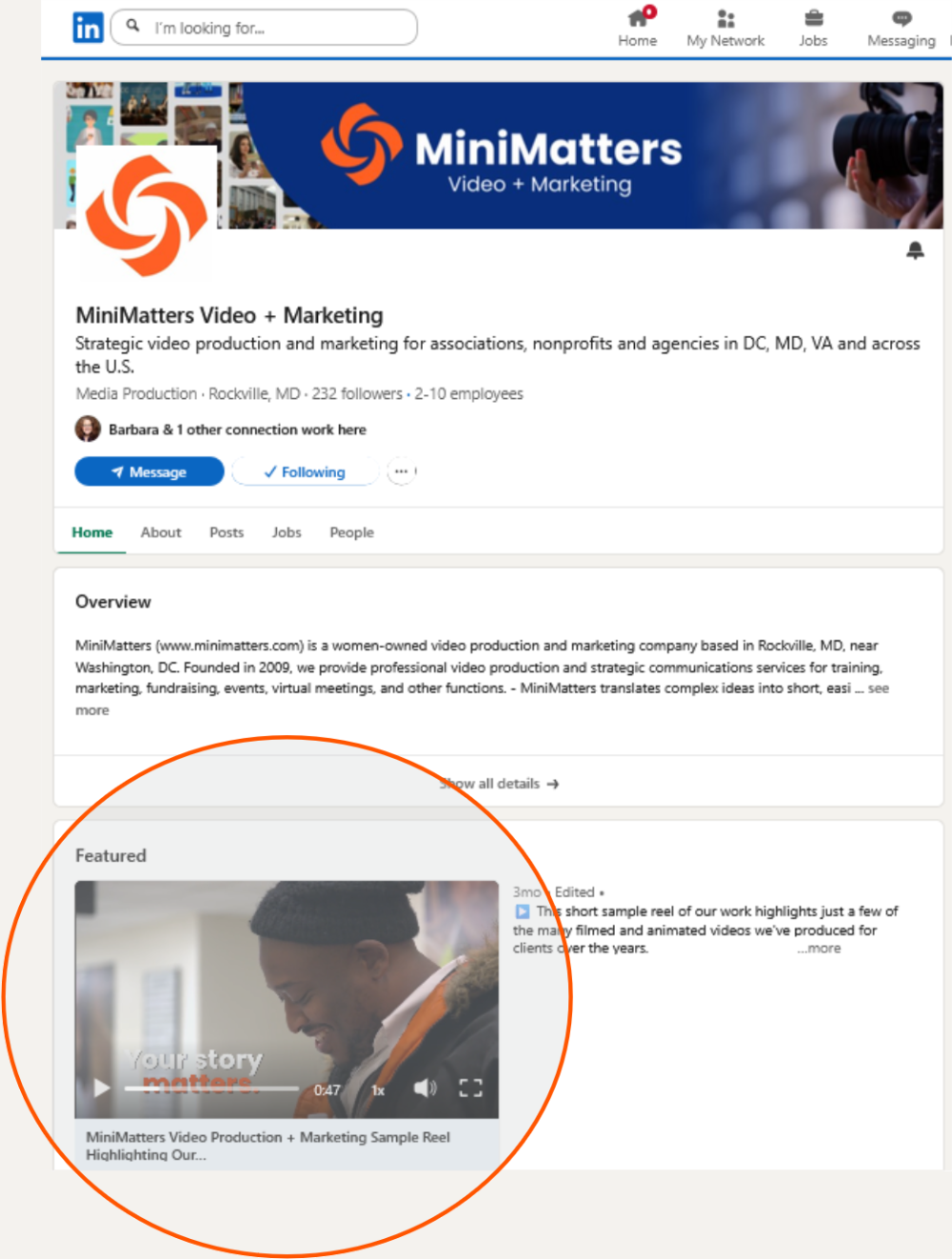
Featuring a video post on your organization’s LinkedIn profile page can build your brand; promote your organization; and help you engage with your potential employees, customers, or donors. For example, in our LinkedIn profile, MiniMatters features a one-minute sample reel of various types of videos we produce, shown in this clip.
While there are also ways you can feature videos in your personal LinkedIn profile, this post focuses on featuring a video on your company's or organization’s LinkedIn profile. Similar profile-type videos make great content for your other social media profiles, too!
Here are three reasons why you might want to “Feature” a video on your organization's LinkedIn profile page:
- Build Your Brand. Your LinkedIn profile page is a great way to build your unique brand - with imagery and storytelling. In your Featured video, you can share what matters to you and your organization.
- Stand Out. Not every organization features a post with a showcasing video, so including one on your company's or organization's profile page makes it an engaging way to introduce your organization.
- Make a Human Connection. A featured video post helps make a human connection on an otherwise very 2-dimensional, text-heavy page. It gives you a chance to connect with viewers, showcase your mission and work, and invite further conversation.
How to Feature a Video on your Organization’s LinkedIn Profile
There are two ways to feature a video on your organization's profile. You can feature a video that has been uploaded directly to a LinkedIn post, or you can feature a post that has a hyperlink to an externally hosted webpage containing your video. In the first “upload video directly to a Post” option (Image 1), the video will ultimately display larger on the Featured section. An additional benefit of uploading the video directly to LinkedIn is that the video can be set to autoplay. For these reasons, we recommend that you upload the video directly to the LinkedIn post you want to feature, as further described in this post.
Upload a Video to a New LinkedIn Post.
The first step is to create a post including your uploaded video per LinkedIn's Video Sharing instructions. For company or organization pages, you need admin level access to do this.
Navigate to Your Organization’s LinkedIn Profile's "Featured" Tab.
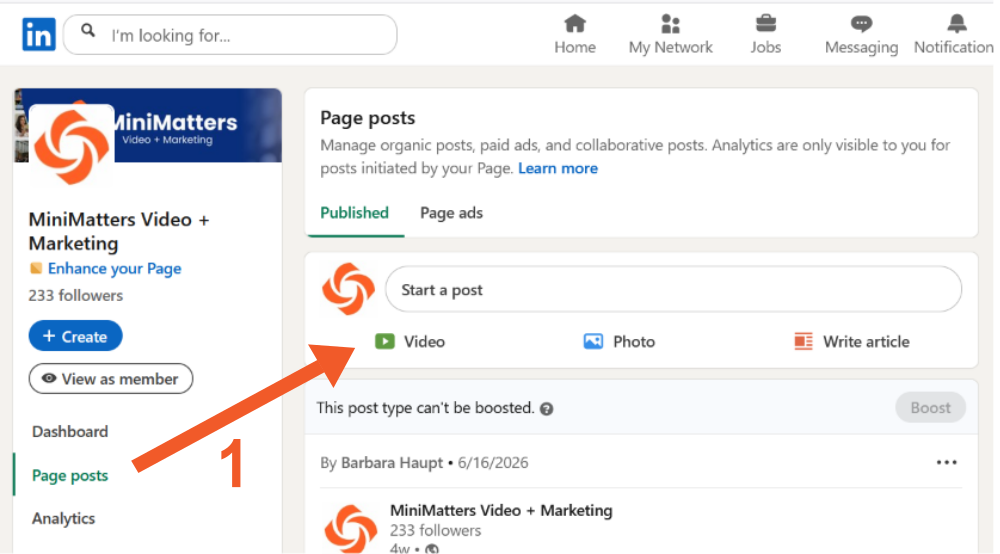
The next step is to navigate to your Profile page and select "Edit Page" (2) below, then to the "Featured" tab (3) where you will see the "Manage featured" container. Once there, click on the Plus (+) sign on the right (4).
Locate and Select the LinkedIn Video Post You Want to Feature.
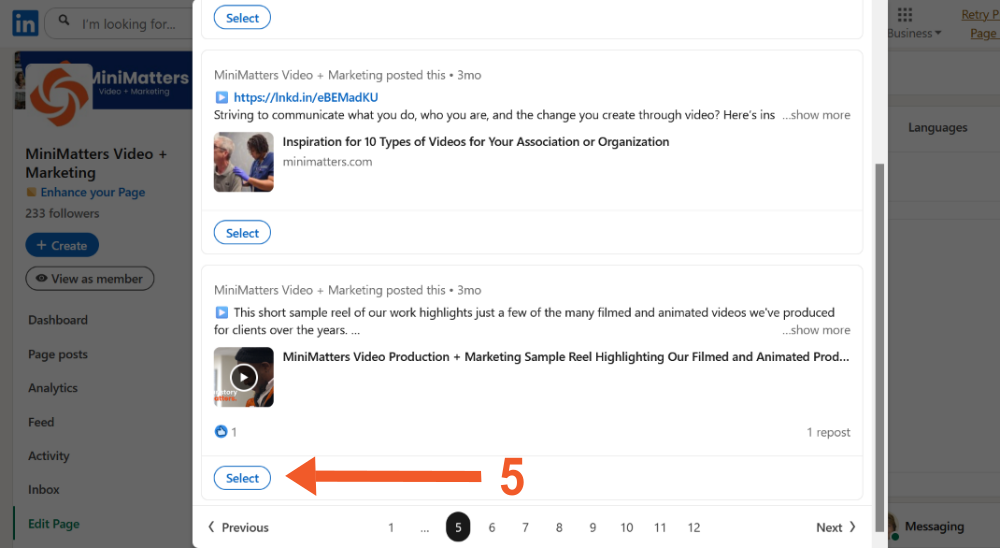
Next, scroll through your posts until you find the one with the video you uploaded, as shown below (5). Then click on the "Select" button.
If done correctly, you'll see a small pop-up saying "Post successfully featured" as shown below on the lower left side of the page.
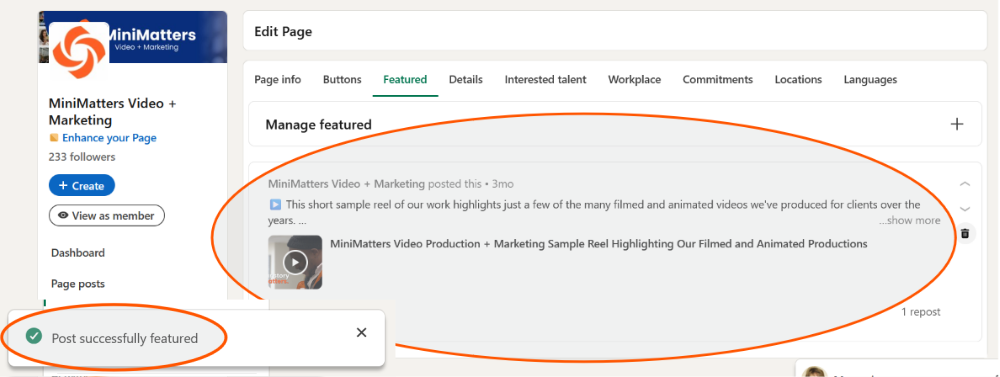
And the post will show up in the "Featured" section of your Profile page, as shown.
Video Enhances Your Regular LinkedIn Posts, too.
Remember that video content is important not only to feature on your company or organization’s Profile page, but also in your posts. Sharing videos in LinkedIn posts regularly can help strengthen interest and engagement. And if you'd like a professionally-produced video, MiniMatters can provide an estimate through our orange Get an Estimate button.