YouTube Fundraising for Nonprofits – The Old Scenario
From January 2016 until April 2, 2019, YouTube-verified 501(c)(3) nonprofits could add a pop-up Donation Card within their videos hosted on YouTube, as described in our previous blog posts Video Donation Cards – YouTube Tips and Add a YouTube Donation Card to Your Video – 4 Easy Steps. However, YouTube has changed this.
YouTube Fundraising for Nonprofits – The New Scenario
The most powerful options YouTube currently provides to nonprofits for fundraising are:
- A “Link Anywhere” end screen or info card that can go directly from your video to an external donation or campaign landing page (membership in the YouTube Partner Program required).
- The YouTube Giving Program, through which your organization can collaborate with a creator/influencer to support your cause or create your own fundraising campaign.
1. “Link Anywhere” End Screen or Info Card
Content creators can add various interactive elements to a video’s end screen (the last 5-20 seconds of the video) and up to three interactive info cards within a video. These encourage the viewer to click to another YouTube Video, Playlist, or Channel; Subscribe to the Channel; or, most valuably, click to an external URL (such as a fundraising page) with a “Link Anywhere” link. Note that the “Link” option is greyed out and not functional if your nonprofit’s channel is part of the YouTube Partner Program.
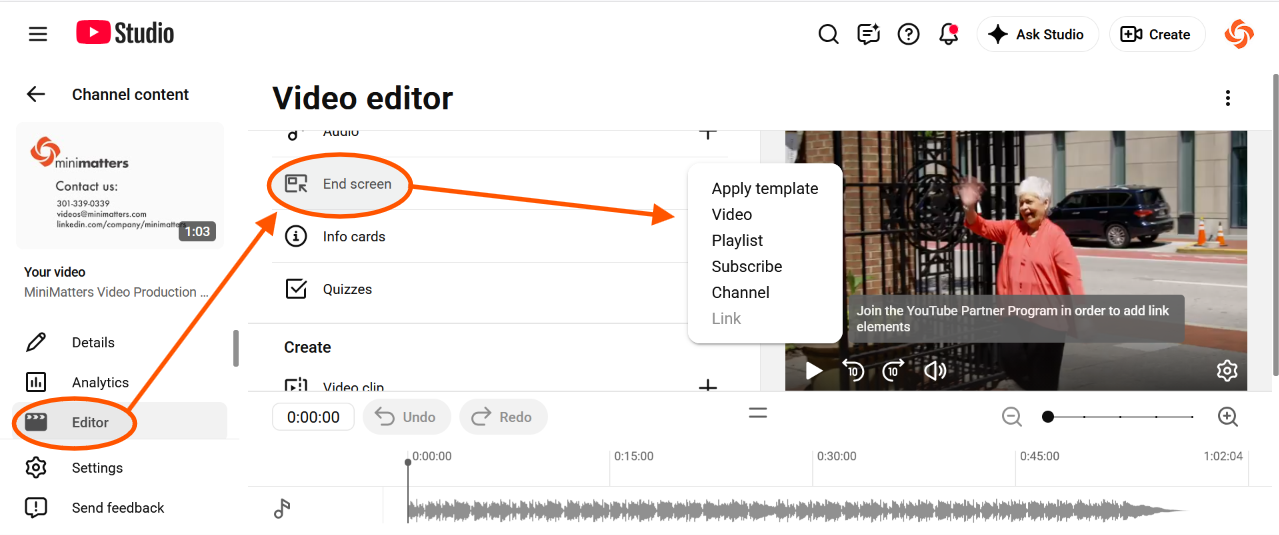
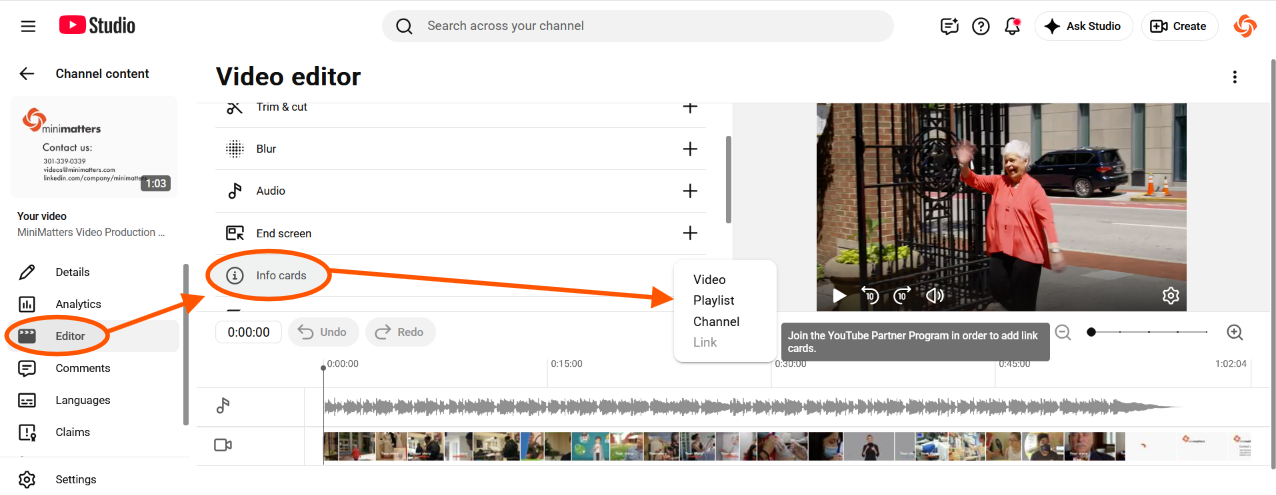
For more information, see the YouTube End Screen and Add Info Cards to Videos resource pages.
2. YouTube Giving Program for Charitable Giving
The YouTube Giving Program and how it can now be used is what's newer. As described on the current YouTube Giving information page,
“YouTube Giving is designed to help strengthen the way creators and fans interact with charitable giving on YouTube. Some videos and live streams give you the option to donate to a nonprofit that the video creator is supporting.
YouTube covers transaction fees, so 100% of the money you donate goes to the eligible nonprofit….”
We see two current options here.
Working with creators
First, if any influential YouTube creators support your nonprofit, you can now consider asking them if they’d be willing to help you raise money for your cause by joining you in a live event with a chat where a donation button is included.
As an example, this YouTube Live Fundraiser event from June 2026 hosted by @outsidexbox (weekly videos from Mike, Jane, Andy and Ellen about games and game-adjacent things), benefitted the nonprofit Trevor Project. This short clip from the 2 hour and 15 minute event video shows the hosts playing the Meccha Chameleon video game. Viewers donating during the event are recognized in the live chat and also thanked by the hosts.
You can provide creators with this link to information on how to get involved. Creators must be approved for the program.
Your nonprofit could also encourage wider YouTube creator support by promoting this method of support in your various communication channels, as St. Jude’s, has done, for example.
Setting up your own fundraiser (eligible nonprofits)
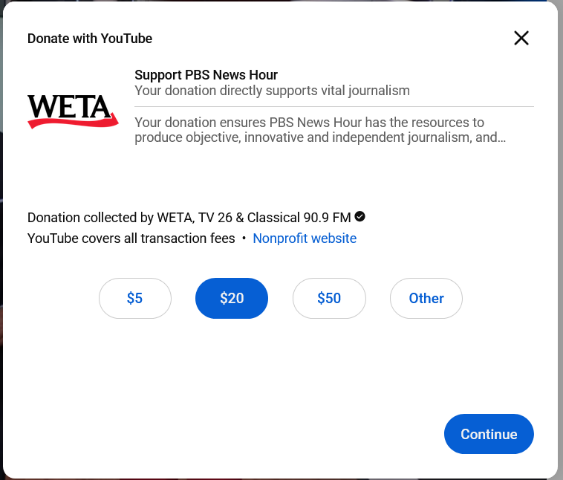
The second option is that eligible nonprofits can set up a fundraiser with a Donate button on their selected videos, such as seen in this PBS NewsHour channel fundraiser which has raised $367,499 as of October 21, 2026.
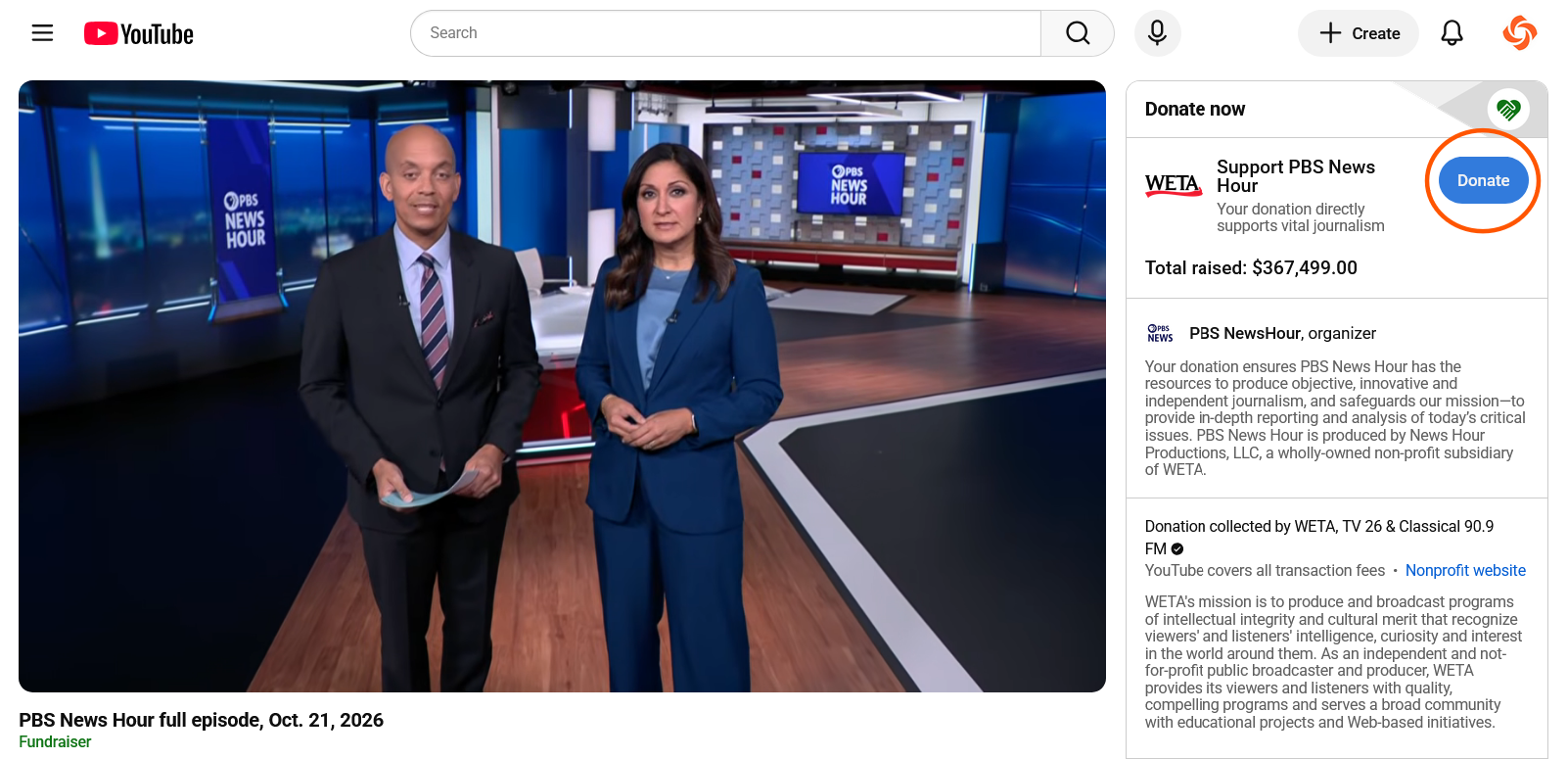
When the viewer clicks the blue Donate button, this pop-up screen appears making it super easy to make a donation.
Fundraising success enables your nonprofit to accomplish more, and YouTube’s platform does offer a few ways to leverage your videos and those of creators who might support you.
If you have a strong channel and might quality for the Nonprofit Partner Program, or already have, or if you have connections with YouTube creators with a good following, the above are ideas to consider.
Don’t forget fundraising links in your YouTube Descriptions
And remember, you should include the URL of your nonprofit’s donation page or a specific landing page on your YouTube channel, playlist, and video descriptions. You don’t have to be part of a special program or have connections with YouTube creators to do that.
For more than 15 years, MiniMatters has produced a wide range of fundraising videos for nonprofit organizations. For more information about our video fundraising expertise, check out our Fundraising Video Services.