 In the couple of years since we first blogged about AI voiceovers, it has become much harder to tell which of our video projects use AI voices and which do not.
Below we explain how AI text-to-speech technology can be used to produce voiceovers for videos. We show a couple of different platforms, and you'll also see when we choose to use AI voiceovers (mainly in our original animated videos), when we do not, and why.
How to use AI voiceover technology simply
How does text-to-speech software for voiceovers work?
Most text-to-speech software, such as the Microsoft Azure Speech Studio and ElevenLabs platforms we use, provides a choice of base voices of different genders, ages, languages, countries—and even personalities and speaking styles (e.g. “cheerful,” “casual”).
You can select an AI voice suited to your purpose, whether e-learning, marketing, or something else.
ElevenLabs even allows you to design your own base AI voice by typing in a short description of characteristics you want in the voice, just like you might type a prompt into Chat GPT or Gemini. Once the software creates the voice to your satisfaction, you can then save the voice in a library for future use on the platform.
When using AI voices for your videos, this can be extremely handy. And it can help you maintain consistency and build a stable of voices for different productions.
After choosing or creating voices in one of the text-to-speech apps, you’ll then copy and paste or type in your script. You’ll then preview the output.
With the software above, you’ll likely find that even the initial output is quite impressive. This is due to continual training and retraining of the AI voice models on large amounts of data.
AI voiceovers are getting better but still may need editing
Still, there may be a few issues that deserve some editing. For example, pronunciation of proper names is a common place for error. And there will be times that the AI voice does not emphasize the words you would have emphasized in a script or where the intonation sounds unnatural.
In our experience, the more unique your content and the more emotional range you have in your script, the more likely you will need to make voiceover adjustments.
How to edit voiceovers in Speech Studio or Eleven Labs
Popular speech-to-text software allows one to edit the output after the initial generation.
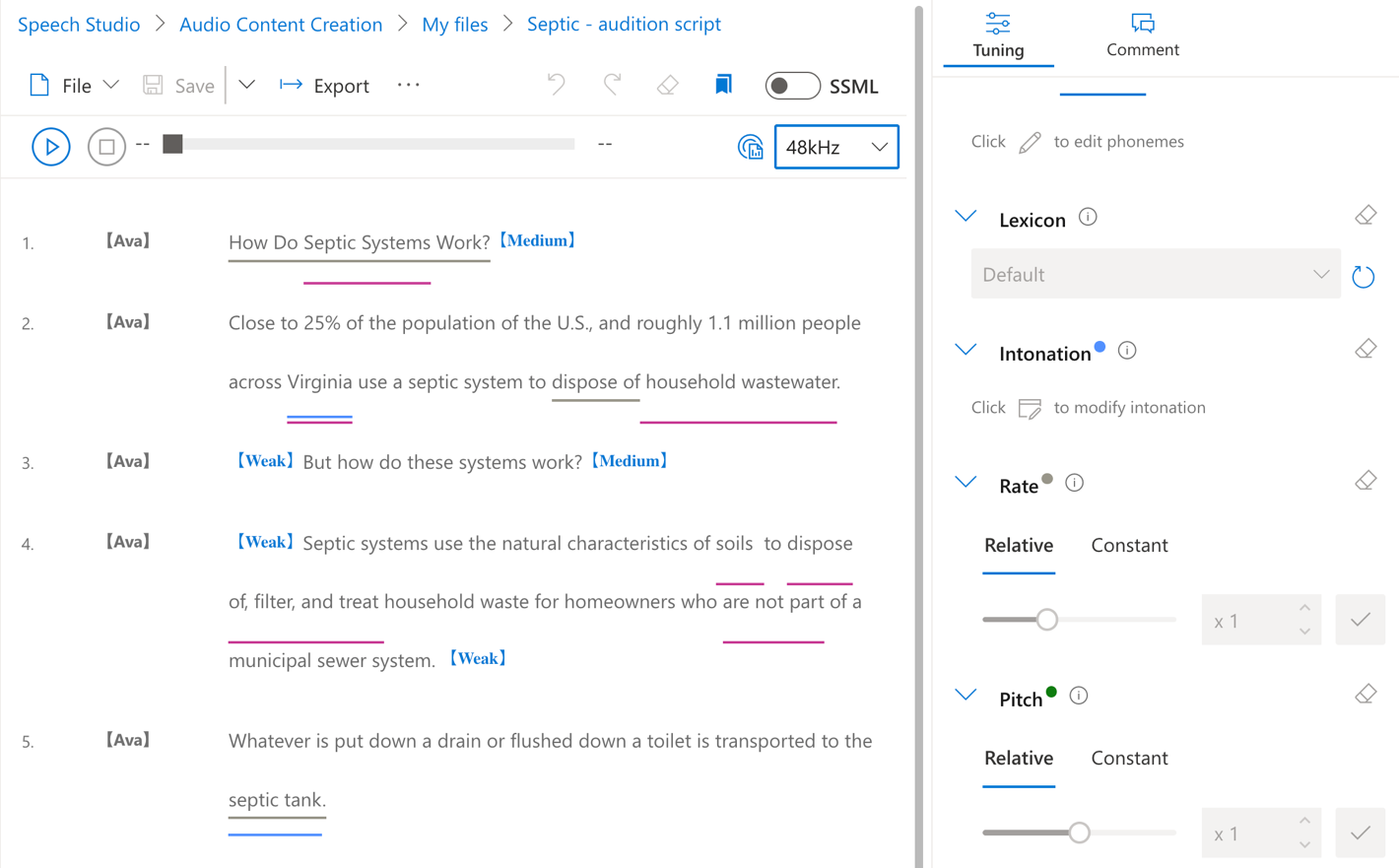
With Speech Studio, which in fact is the back end of many other AI text-to-speech to text apps, there are tools to mark up your text with adjustments to pronunciation, intonation, speed, pitch, loudness, and more.
The left side of this screenshot demonstrates adjustments we made to the AI voice “Ava.” We placed medium and weak pauses in her reading, and adjusted attributes like intonation, rate of speed, and pitch. As you can see by the underlines on the left, it took some tweaking to get her to read “septic systems” and “septic tank” in a way that sounded natural.
There are numerous options for adjustment on the right side beyond what is shown here.
As compared to the above, ElevenLabs has a more user friendly and quite effective ways of enabling you to take advantage of AI in generating your voiceover or editing that initial voiceover.
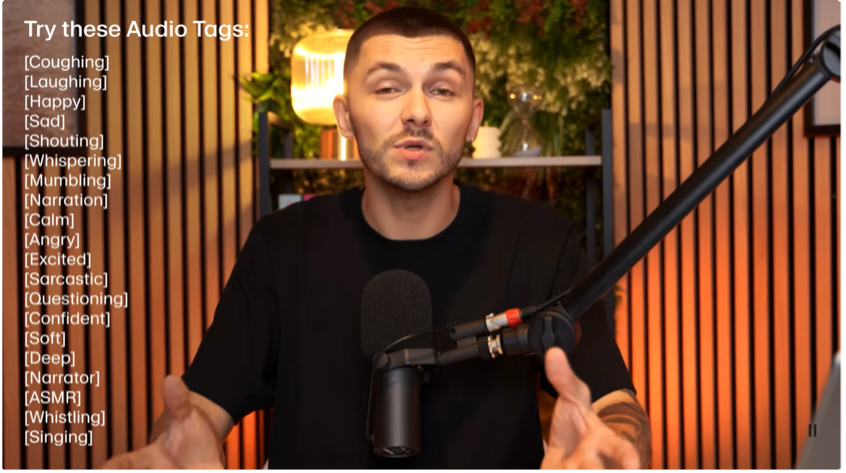 As the image to the right shows (from an ElevenLabs video), you can add a variety of audio tags into your script. The output will then use AI to incorporate these emotions into the voice.
You can also use punctuation such as commas and ellipses to affect pausing and tone.
Here’s how it looks in the ElevenLabs interface.
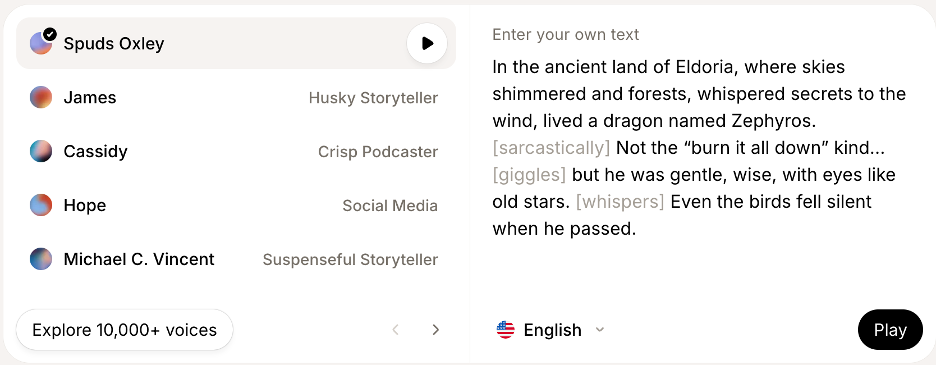
With this method, the ElevenLabs software can generate more natural emotions than many other AI voiceover apps and more easily than the manual adjusting of parameters that needs to be done in Speech Studio.
Overall, by using speech-to-text software and editing any rough edges in the output, you, a team member or your video production partner can usually output an effective voiceover in a .wav format (higher quality than .mp3) and at 48kHz, which is what a good human voiceover artist would also give you.
What besides text-to-speech can you do with AI-based speech software?
You can, in fact, go even further with AI-based speech software, with options such as voice cloning, translation and more. For example, you could:
- use audio samples to create voiceover clones that mimic your CEO or executive director (or you!);
- alter existing voices quite significantly with AI tools;
- create versions of your script in other languages or dub your voiceover recording in a different language; and even
- build “human-like conversational chatbots” and integrate them with your website.
This naturally leads to the questions: Where do we at MiniMatters draw the line on AI voices and voiceovers these days? Where should you? And on what basis should one decide?
Where we consider AI voices effective in video production for our clients
The majority of cases where we use AI voiceovers on client projects are in animated videos where there is an informational or training goal, which is where they can be quite effective and where people are not necessarily counting on a true human voice. For example, it might be a consistent voice during a longer training video series that is published across a long period of time, and where there is no guarantee that we could contract with the same voiceover artist repeatedly.
We also might use an AI voice for a straightforward call to action to “Register Now” where there are closing graphics that indicate the dates and location of a conference that would be helpful to voice out loud.
In addition to these training and informational situations, we have found that AI voices are a good match for projects when:
- quick turnaround is essential (we will not need to obtain auditions or go through steps to contract with and provide guidance to individual voice artists)
- when multiple voices are needed for a short video (AI voices will be far more cost-effective)
- when there are chances that scripts may undergo later revision (AI voices avoid having to make contact with, negotiated, and contract again with the same voiceover artist)
Where are human voices effective in video production?
In contrast, we consider human voices are the clear and more effective choice when our clients need authenticity and emotional resonance within their videos.
Examples of these cases are voiceovers for fundraising or other videos that represent the “voice” of an organization or brand and need to convey the commitment of the organization to its mission.
To note, these videos will most often include the voices of organization staff, volunteers or other stakeholders, not just a voiceover.
Choice and transparency in use of AI voiceovers
Effectiveness from a communications and project management standpoint is one part of the picture in using AI voiceovers. Another aspect we focus on is client choice and transparency.
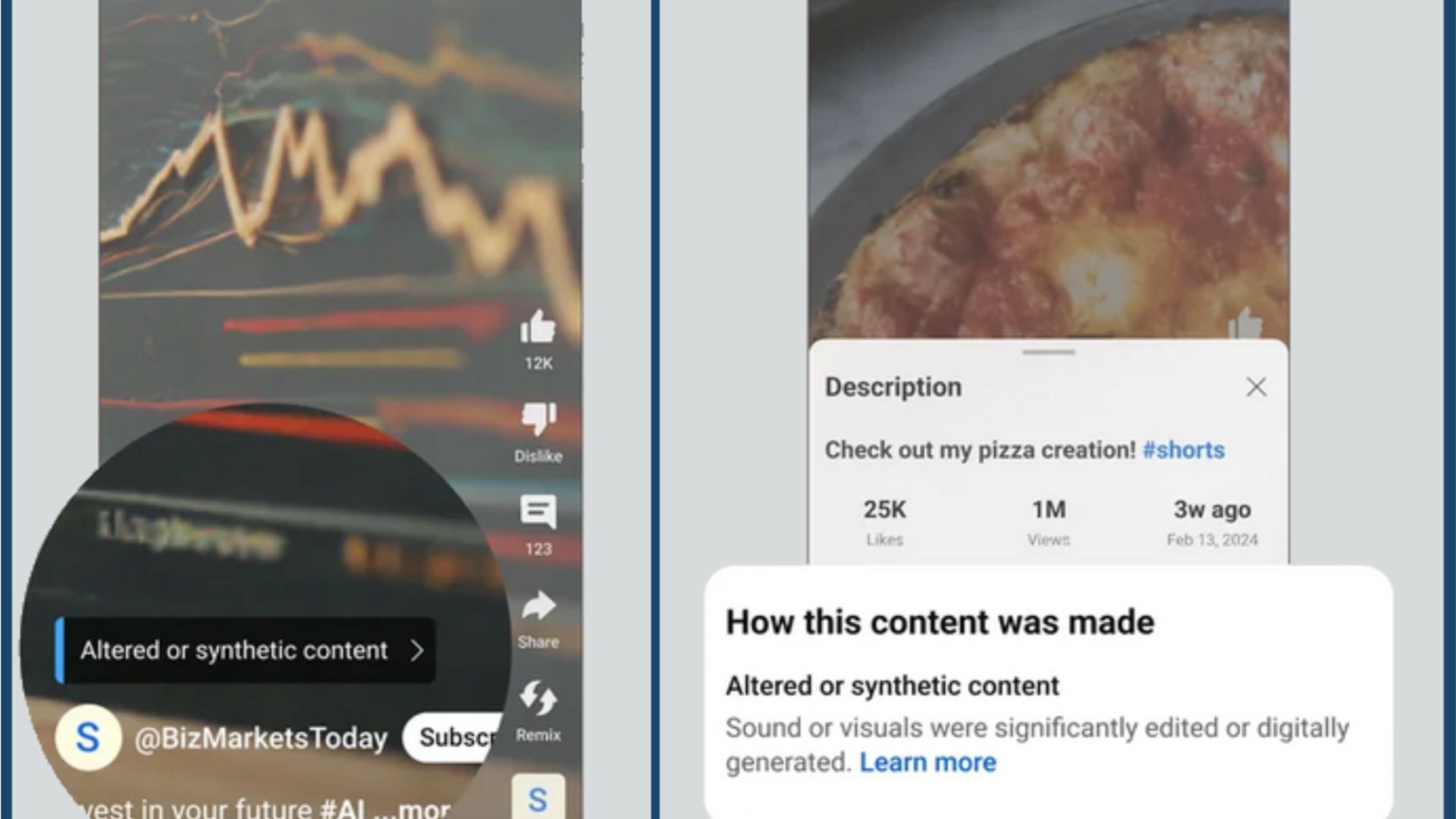
In the project scoping stage, we make a point of sharing what we see as the pros and cons of AI and human voices for a client’s particular project. This can include not only the above sorts of effectiveness considerations, but also the issue of potential AI labeling and disclosure requirements on video platforms such as YouTube.
Decisions must also be aligned with the client’s AI use policy, if they have one, as well as our own AI Policy .
Our AI Policy includes both an iteration of our principles and how we have applied them both to the uses of AI for video production and more generally, as well as points that apply to the specific area of AI voiceovers.
Use of AI Voiceovers and required labeling and disclosure
As for AI labeling and disclosure issues, you may be relieved to know that use of AI voices, if accompanying animated videos with original content, does not need to be disclosed on YouTube. Thus, your video with an AI-generated voice will not need a “Made with AI” label on the platform. You are also permitted to clone one’s own voice without a disclosure requirement.
Nonetheless, a number of other common uses of AI voices do require this disclosure and should be considered in your decision-making around using AI voices, with attention to how to implement this disclosure. To learn the full details of what uses of AI voices do and do not need to be disclosed on YouTube and how the disclosure process works, please reference our blog post on an update to YouTube AI Content Labeling requirements.
We welcome feedback
Good luck with your AI voiceover uses, and reach out to us if you have feedback on this post or would like to discuss a project with us.
If you'd like a professionally-produced video, MiniMatters can provide an estimate through our orange Get an Estimate button.